

CASE STUDY 03
Hummingbird
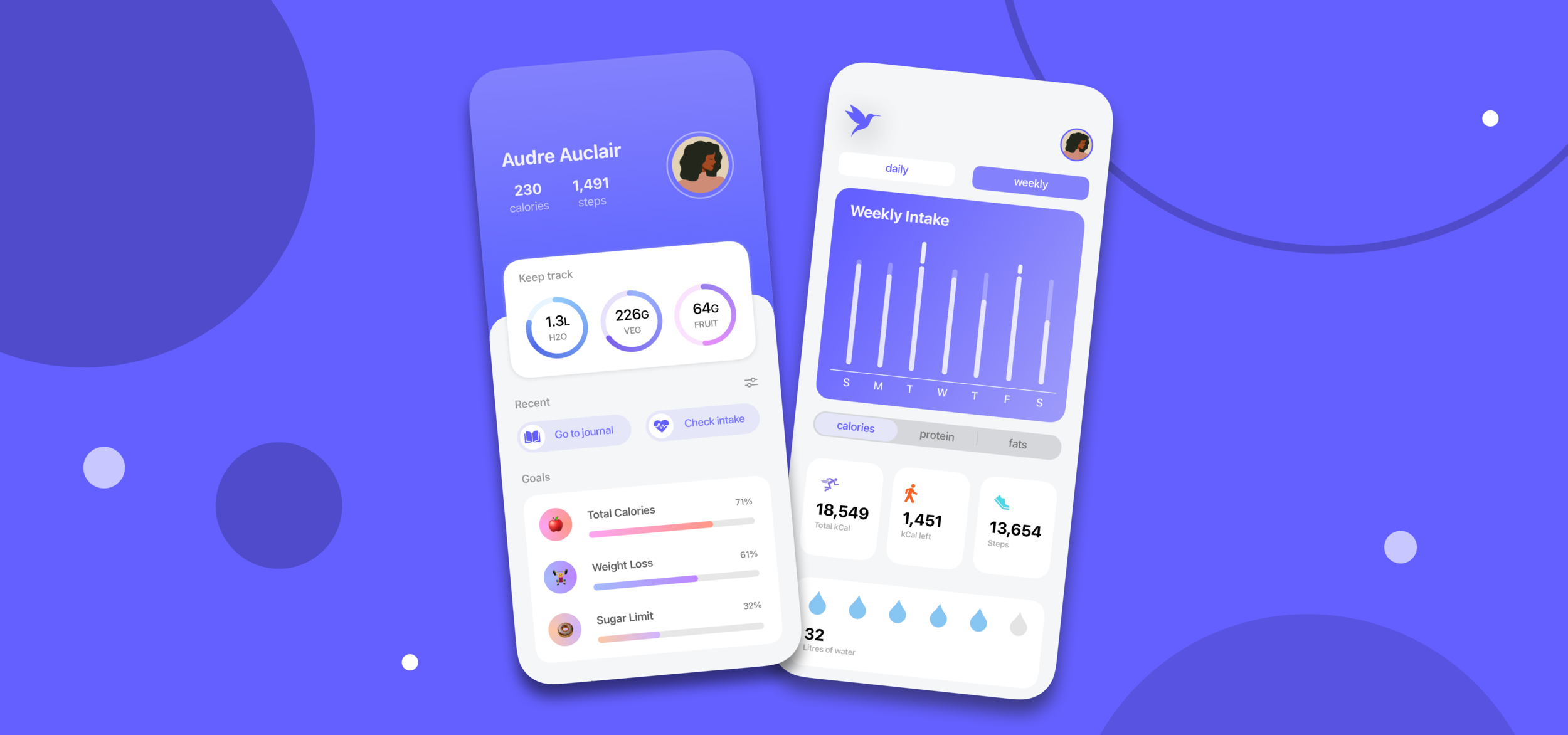
"People have gained a new understanding of how what they eat can effect their stamina, strength and immunity to fight off viruses. Over the pandemic there has been a 54% rise in healthy eating in consumers.” Hummingbird just makes staying healthy easier.
The Problem
People have difficulties maintaining their health and diet due to complications or the tedious process of recording your nutritional intake and finding healthy meals to prepare for yourself.
My Solution
Hummingbird, an app that understands the users needs and provides them with a tool that assists them in making better decisions for their lifestyle along with boasting a more compact and accessible interface than competitors.
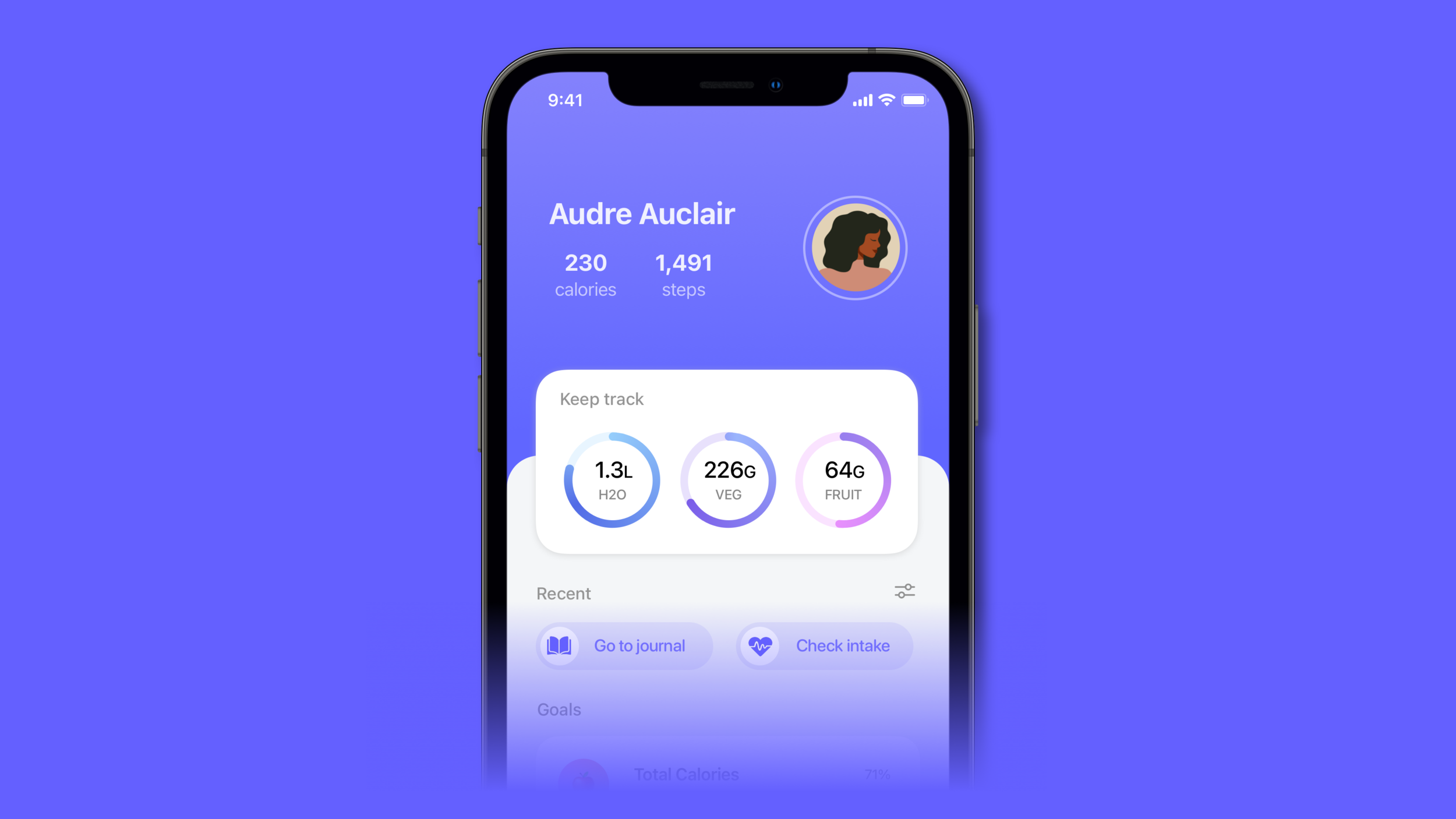
Never Lose Track of Your Day
View a summary of your everyday intake on the home page at any time along with helpful information like the progress on your goals and your water level. Get suggestions for ways to improve your diet and view your recent activity for shortcuts to different features in Hummingbird.
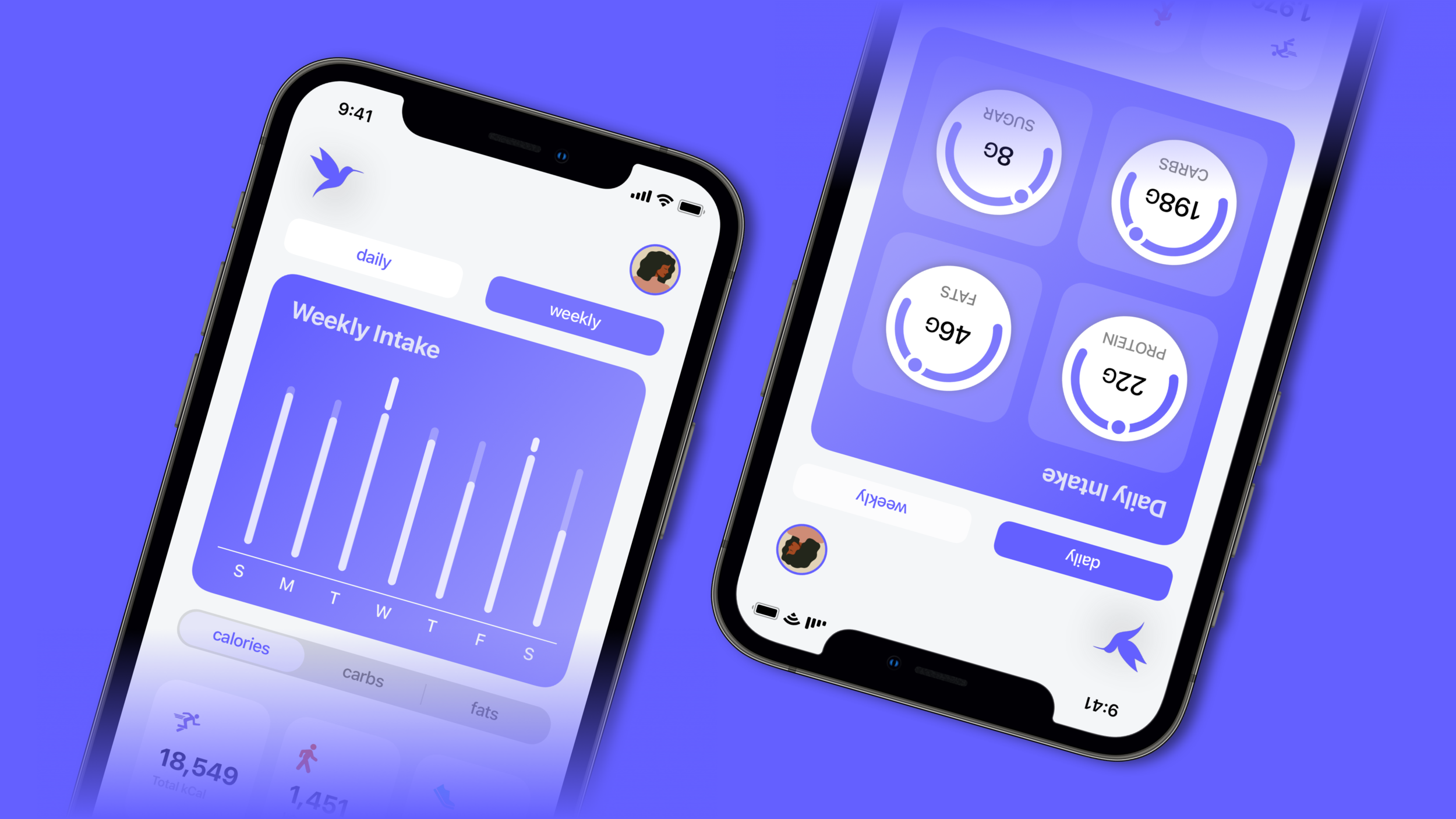
Up Close and Personal
Your intake is recorded in the ‘Daily Intake’ and ‘Weekly Intake’ section of the app where you can find information tailored to your lifestyle about your diet and trends to help you make more accurate decisions about your body.
Recipes For You
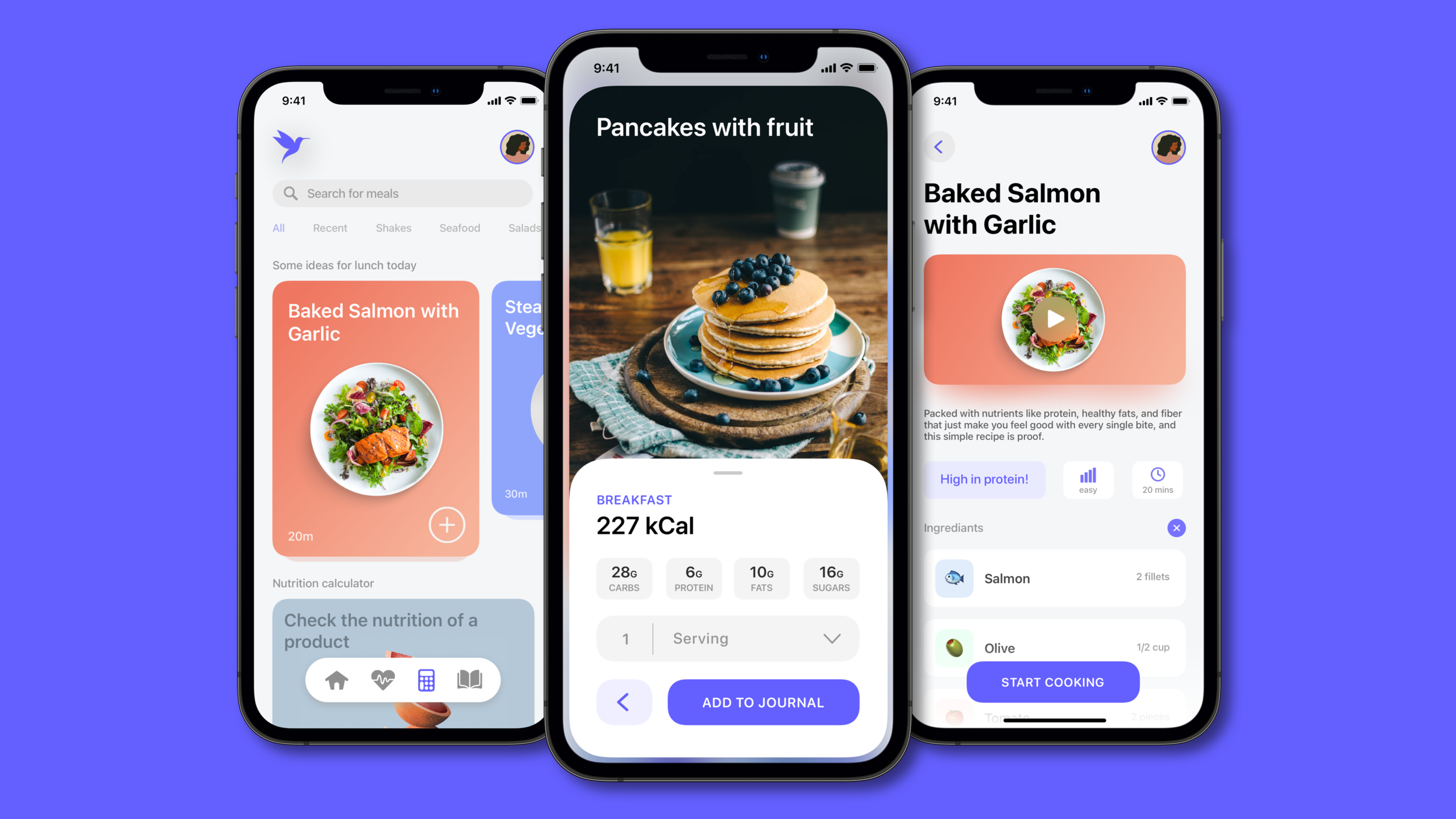
Whether you want to try a new meal or start cooking one apart of your diet plan, Hummingbird has thousands of options for you. Using the barcode scanner, you are also able to get a quick summary about the nutrition in any product using your phone camera.
Record Your Progress
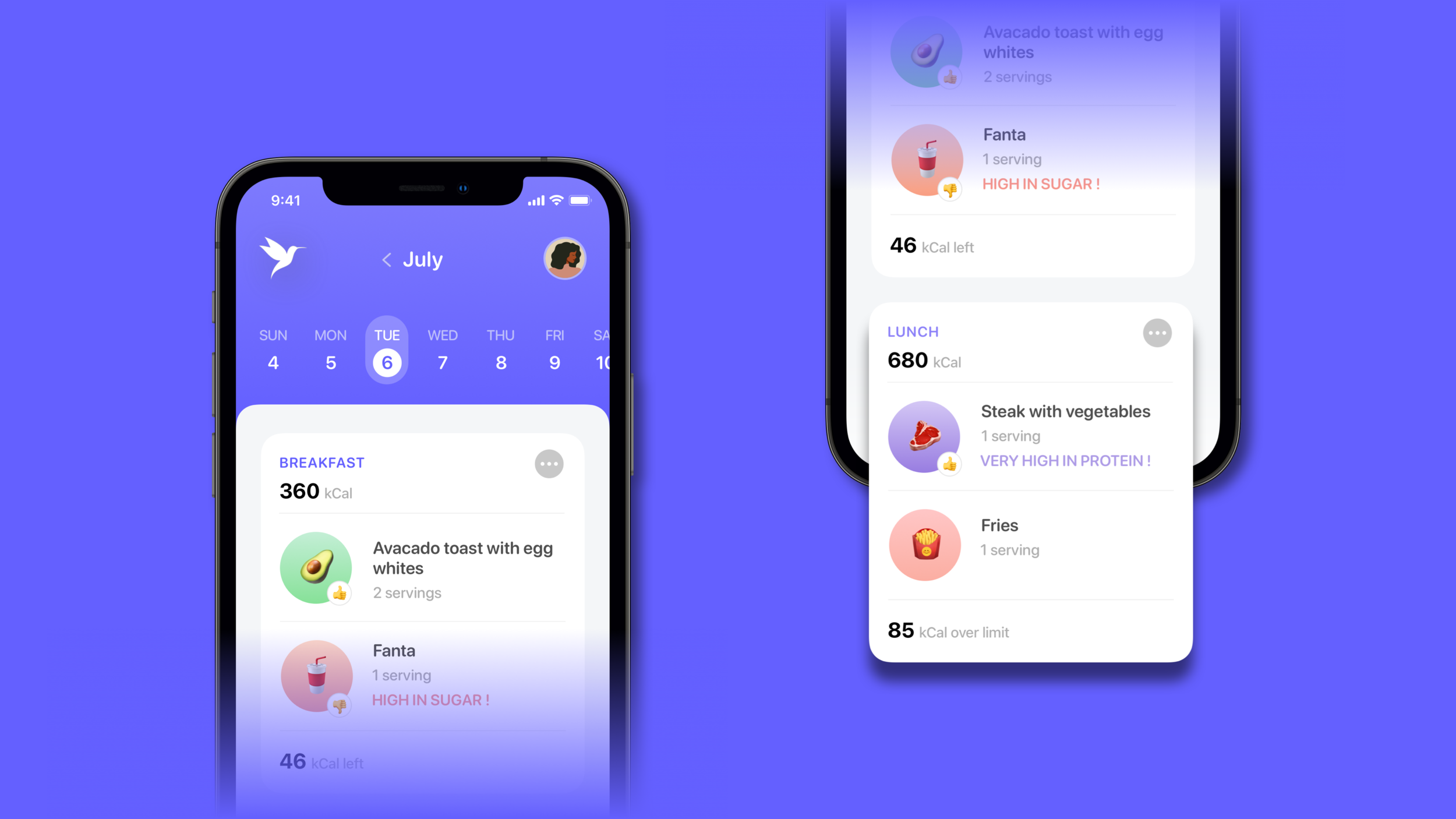
Hummingbird has the ability to document your growth by recording all the meals apart of your diet throughout each day, allowing you to navigate through any date from the beginning of your journey to analyse any patterns or trends in your diet.
Quick Startup
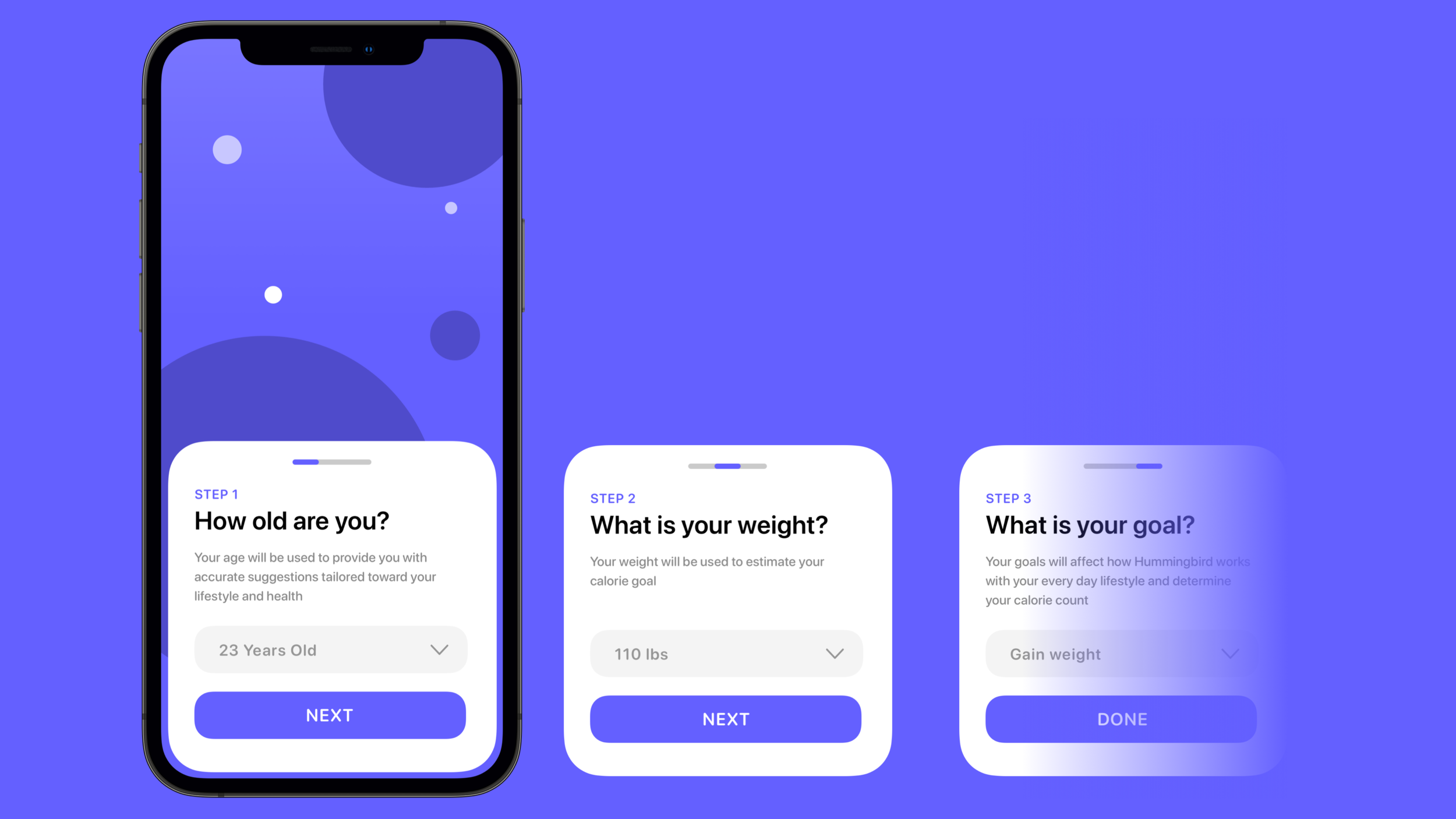
When the app is first opened, you will only be asked a few short questions that will determine how Hummingbird functions with your day to day lifestyle and the type of suggestions and feedback you will receive on your journey to reach your goal.
My Process
From the beginning, I knew that I wanted to re-think how a health tracking app looks and feels for the user. I used a goal-directed design approach that helped me through the different phases of the project more easily. Both qualitative and quantitative research methods helped me get a more personal understanding of the users of Hummingbird through usability tests and a sense of what users needed through a larger audience with surveys. To get a better idea of what Hummingbird was going to be, I began my process with asking myself questions about the apps function and its users.
Preliminary Ideation
I began with affinity mapping to identify the general scope of Hummingbird. This was the first task I had in my process and it consisted of brainstorming ideas and asking questions to understand the app better. I also used descriptive key words to help visualise and communicate the app clearly.
Competitive Audit
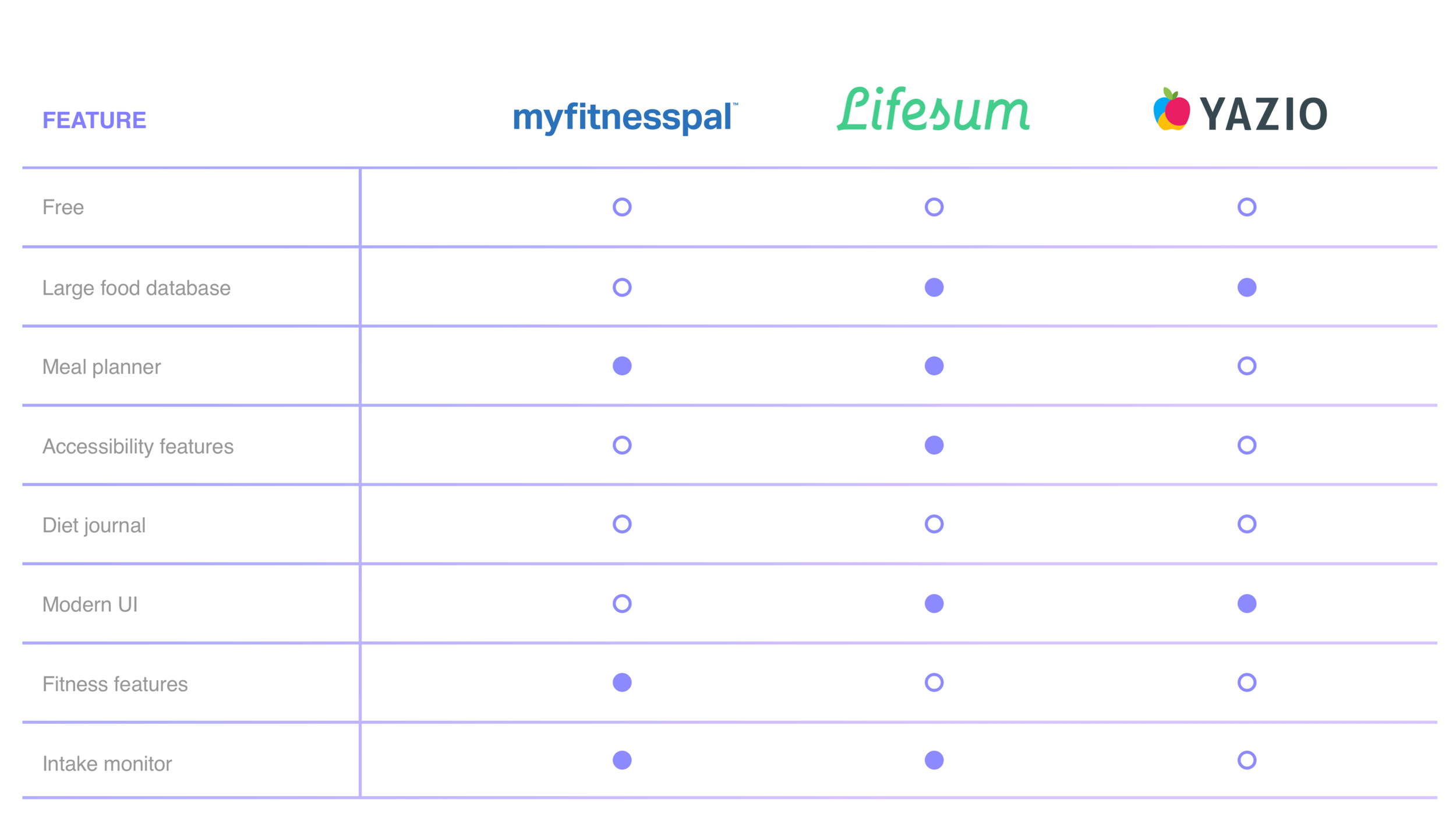
To understand the different features that similar platforms to Hummingbird were offering, I conducted a study on the leading health monitoring applications. I identified a few common features across each app to see how I could improve upon them to gain a competitive advantage. This allowed me to see how certain companies were reaching their audiences and what user goals they were not reaching.
Through my audit, I discovered that none of the platforms offered a free service nor did any incorporate a journal to keep track of your diet and meals. Most platforms also included features that were not fully realised to their potential either.
Research Through Survey
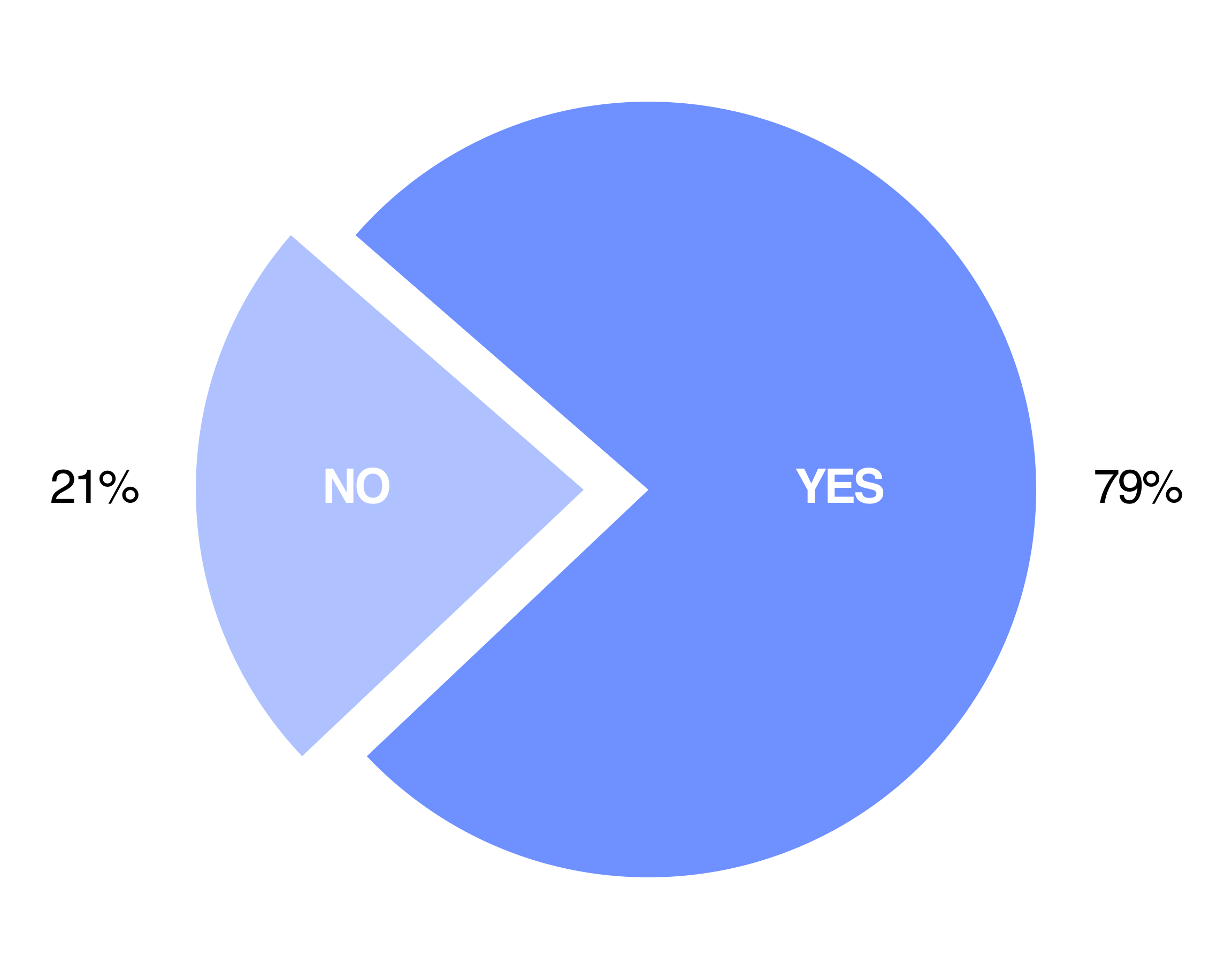
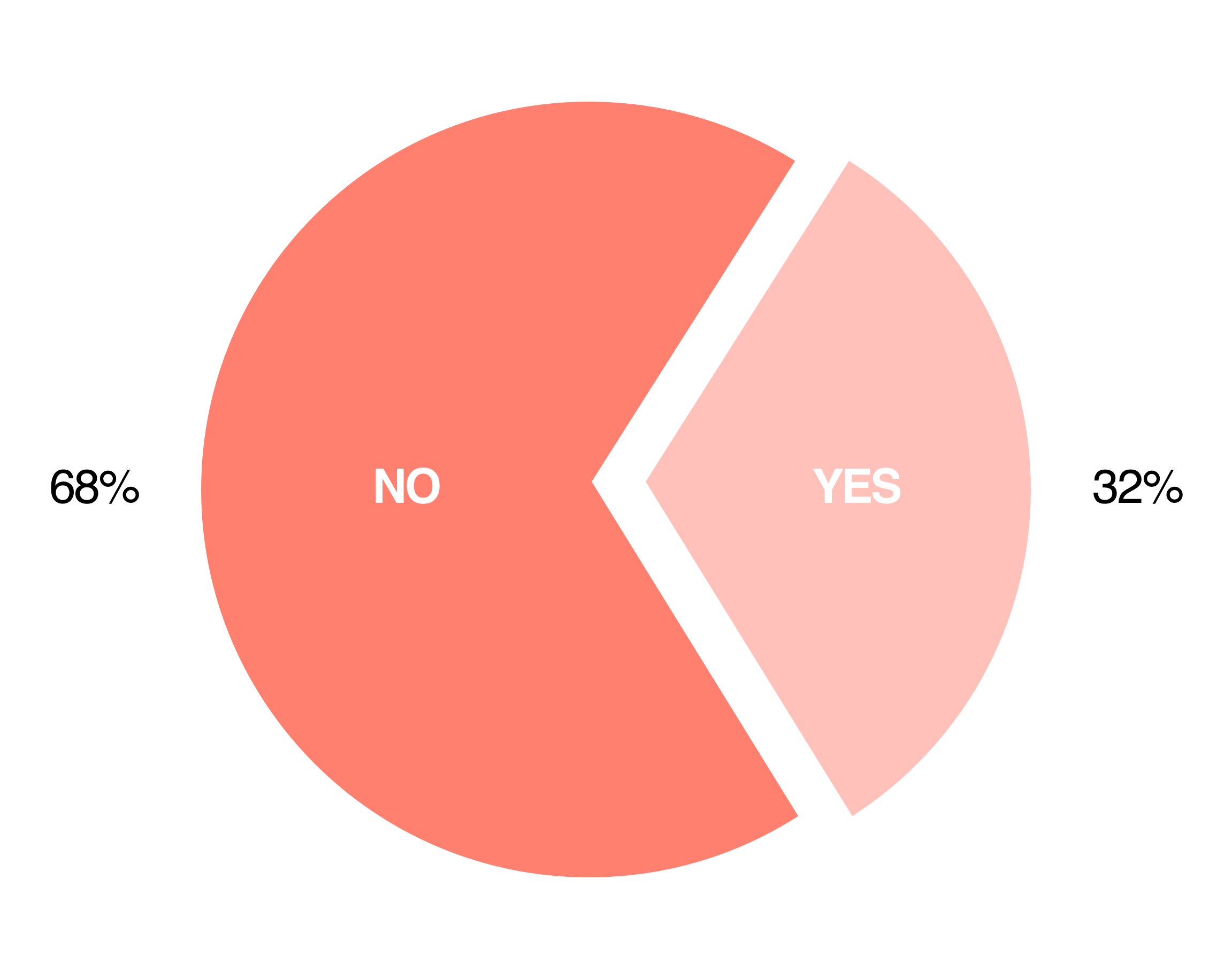
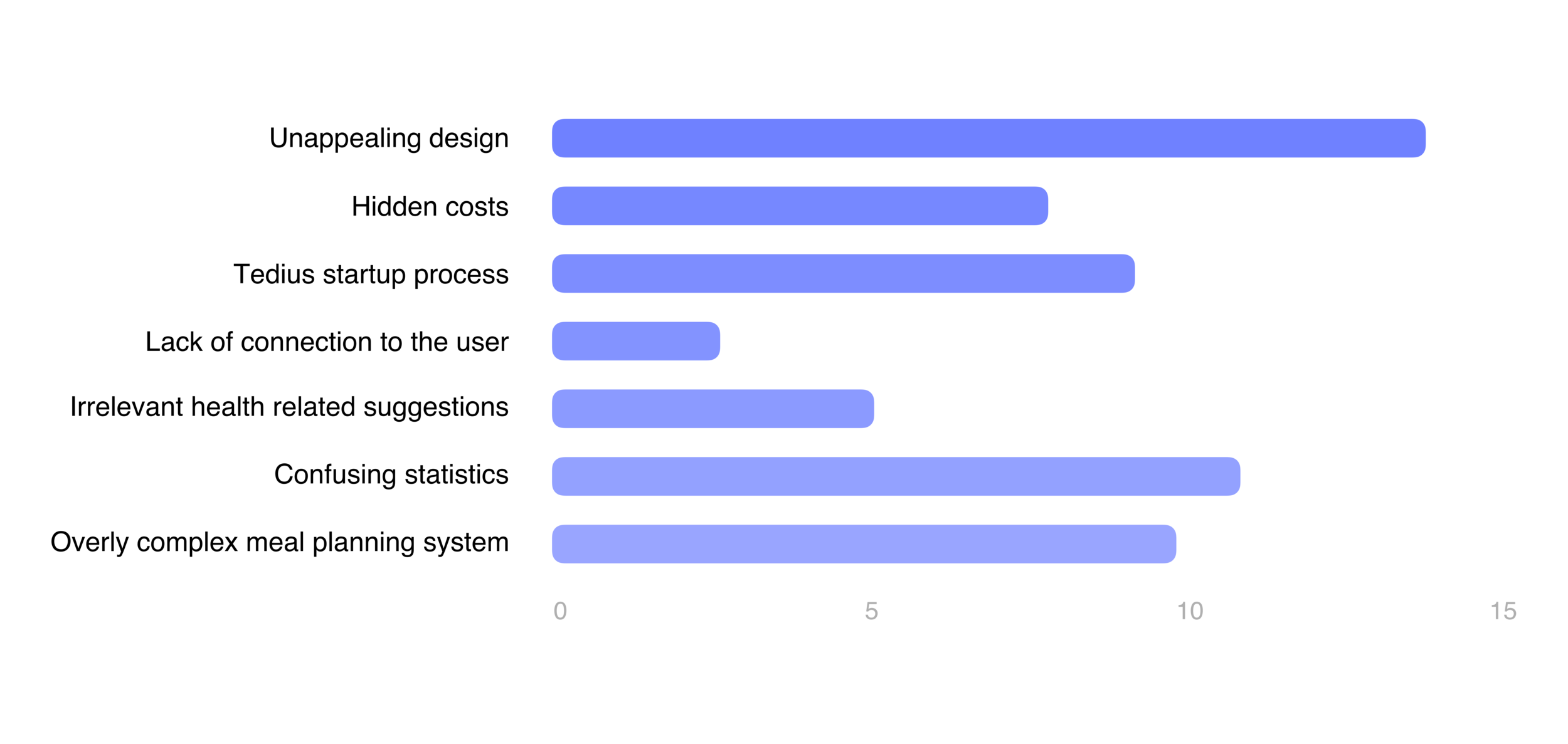
From the beginning, I knew that I wanted to re-think how a health tracking app looks and feels for the user. I wanted to learn more about what users truly wanted from the app rather than what I thought they wanted so I conducted a survey on people's experiences with health monitoring and fitness related apps.
Do you use any health or fitness monitoring apps?
Do you find that the currently available health tracking apps meet your needs?
What are some common challenges you face when using health monitoring apps?
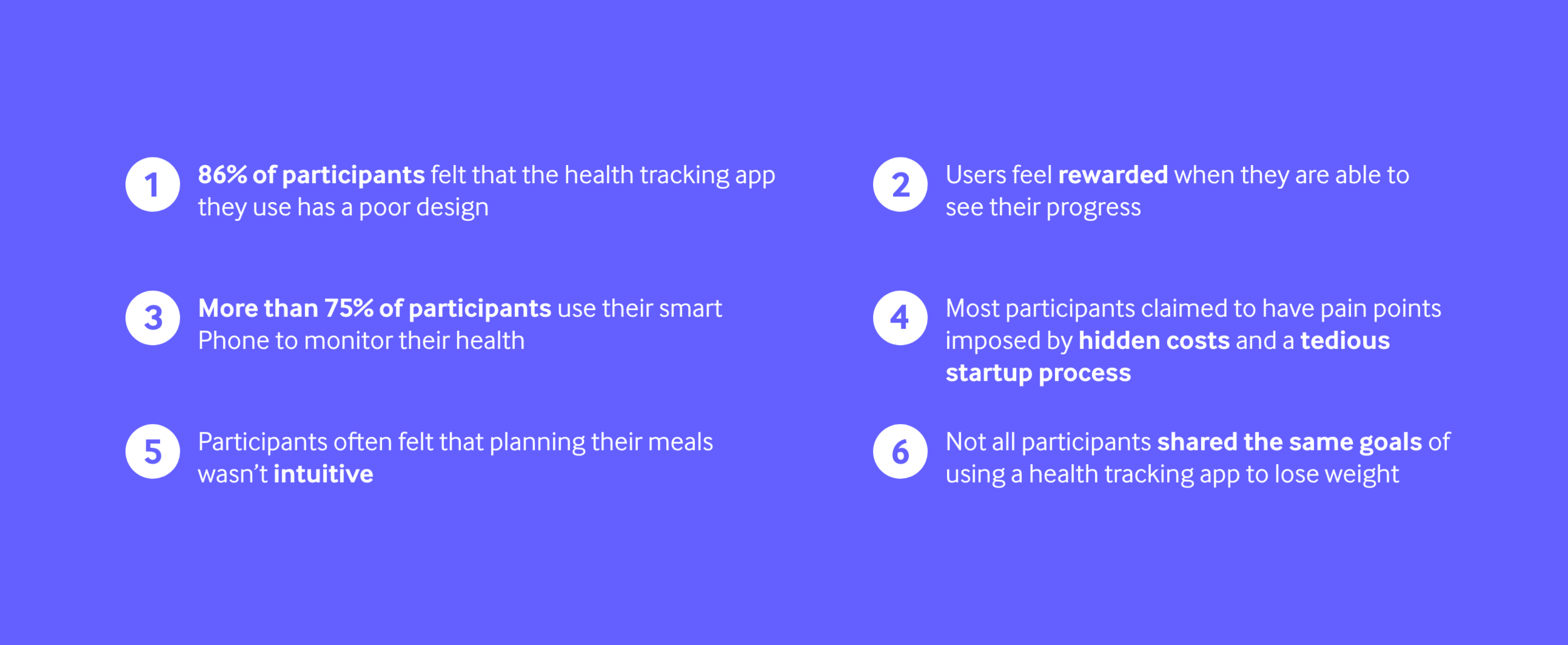
Research Insights
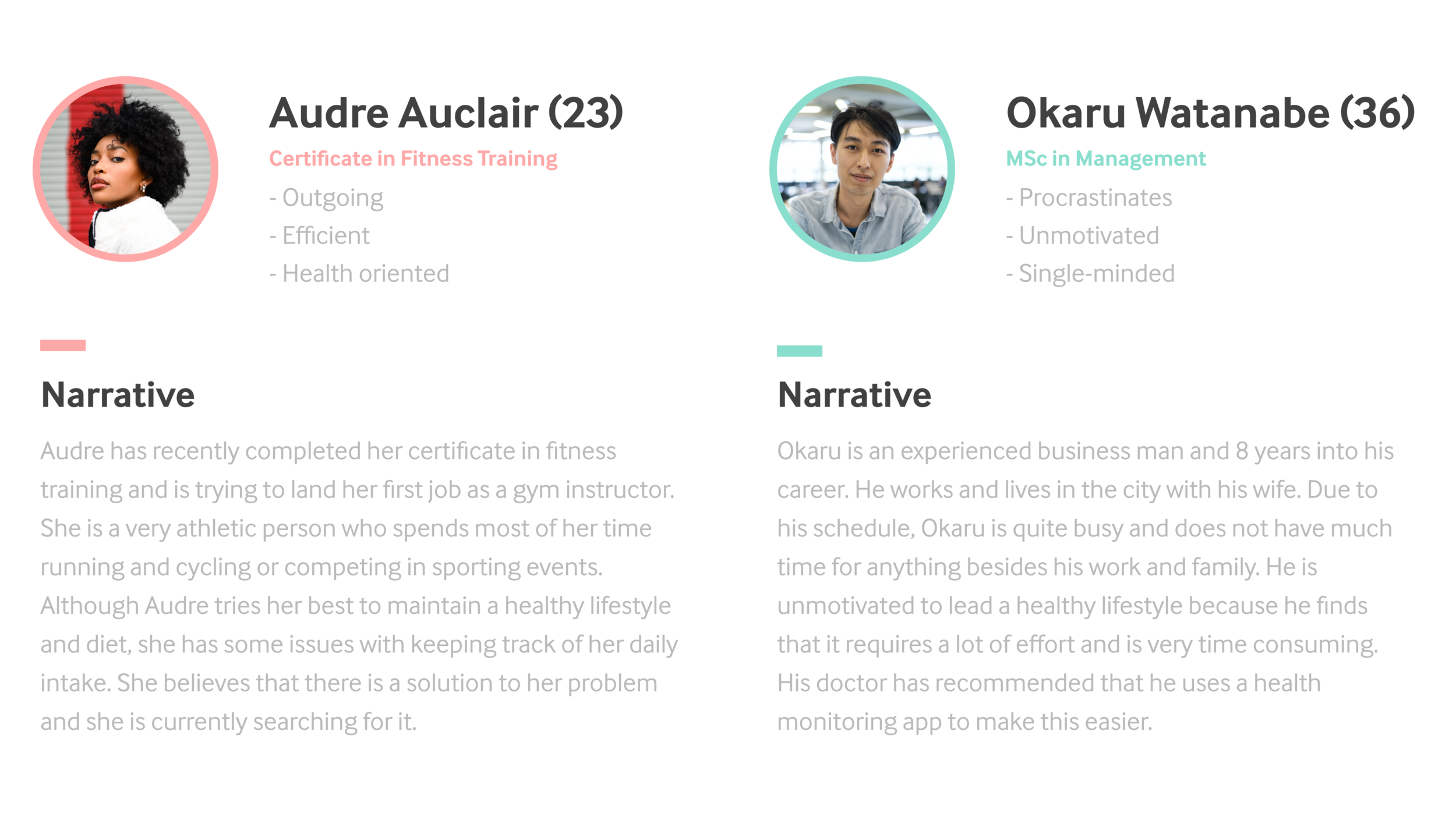
The Users
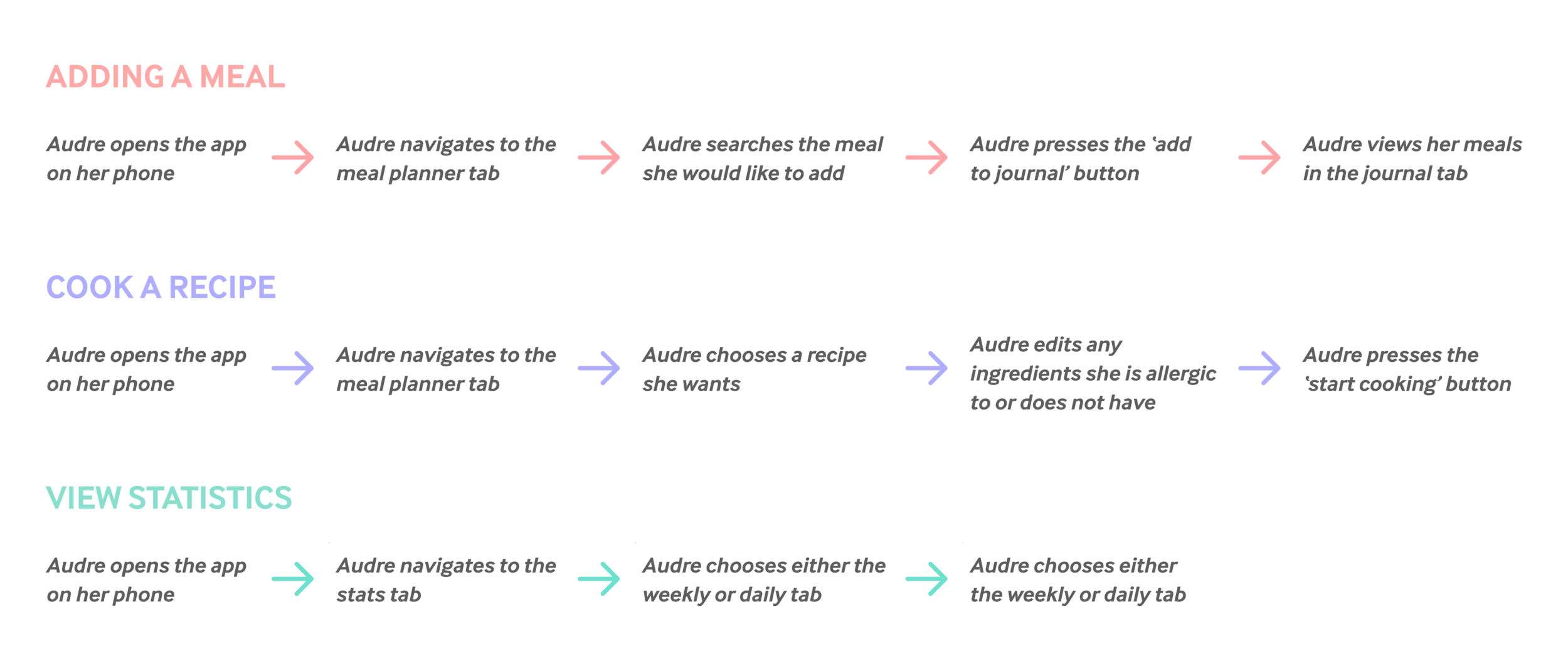
Key Path Scenarios
When analysing different paths the users of Hummingbird may go through when using the app, I identified three different main scenarios. The different scenarios include, adding a meal to your journal, viewing your monthly and weekly intake statistics and cooking a recipe.
Other scenarios that were considered included opening the app for the first time and following the instructions on screen to create your profile along with scanning a products barcode to find information on the product. However, I didn't consider these scenarios to be key paths to the users everyday use of Hummingbird or common things users would do. If anything, they were closer to validation scenarios.
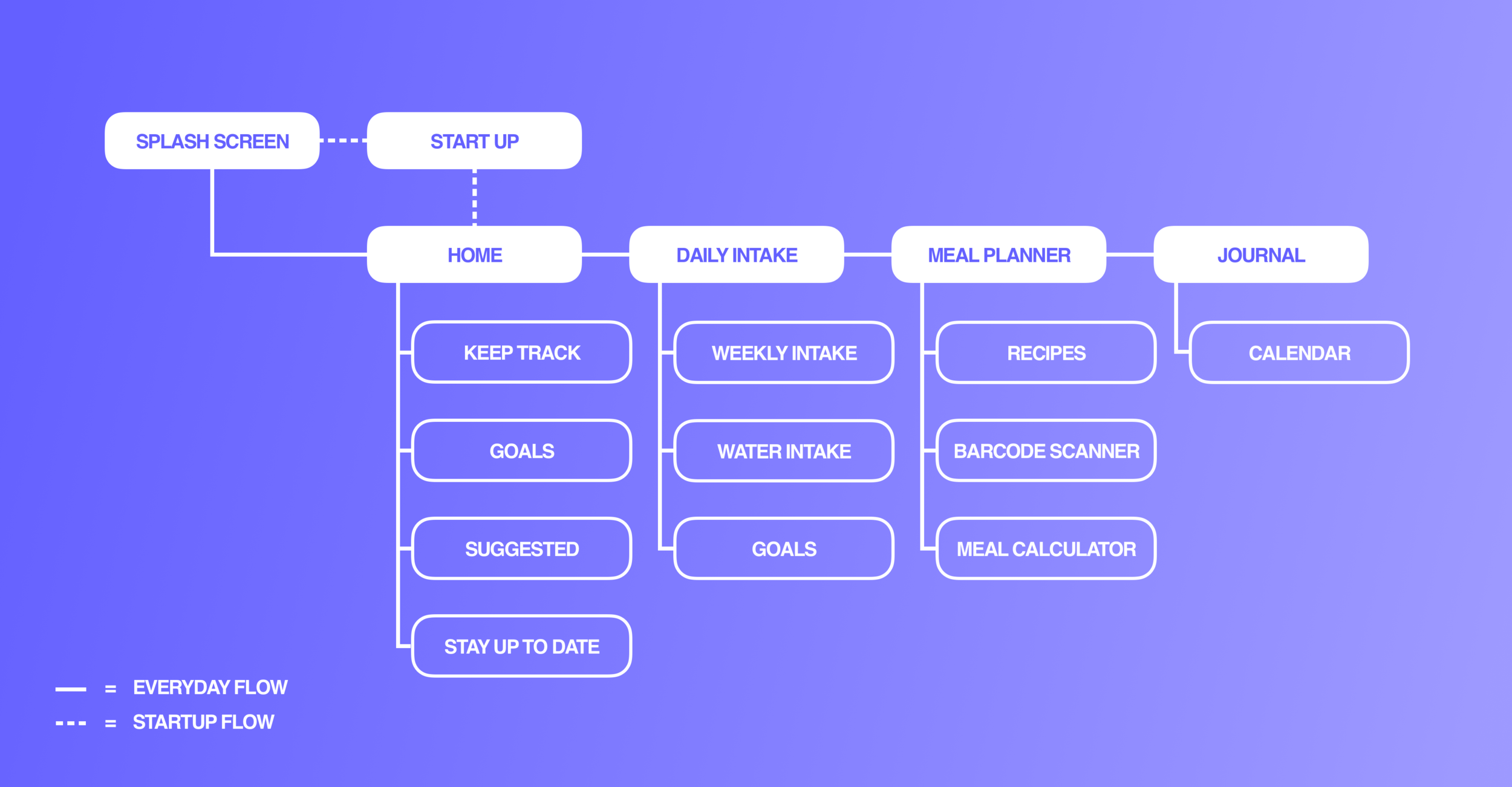
Information Architecture
To better understand the structural design of Hummingbird and what each page consists of I created the information architecture for the app. This helped me focus on how the user would flow through different sections of Hummingbird and where different features would be located. I also tried to distinguish the difference between starting the app for the first time and how the user would start it normally to better showcase the ease of setting up a profile.
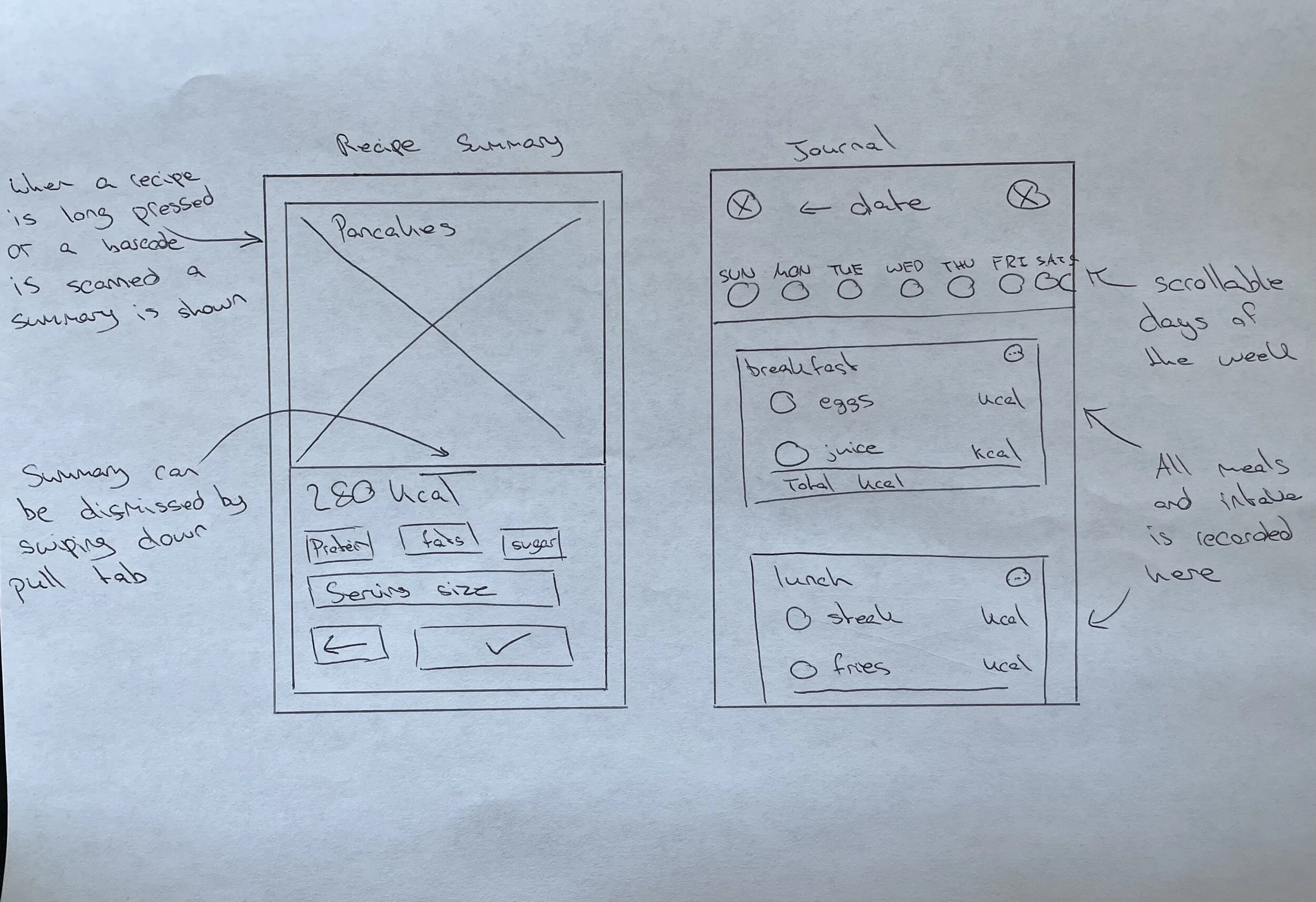
Wireframes
Paper Wireframing
I began the design phase of Hummingbird with quick sketches of what I envisioned vital pages of the app to look like. This included alternate versions of certain pages so that I could try out all ideas whether they were good or bad at the time or if they would even make it to the final version of the app. I jotted down notes for future reference on particular elements of each page to communicate their use later on during the next stage of the design phase.
Low-Fidelity Wireframes
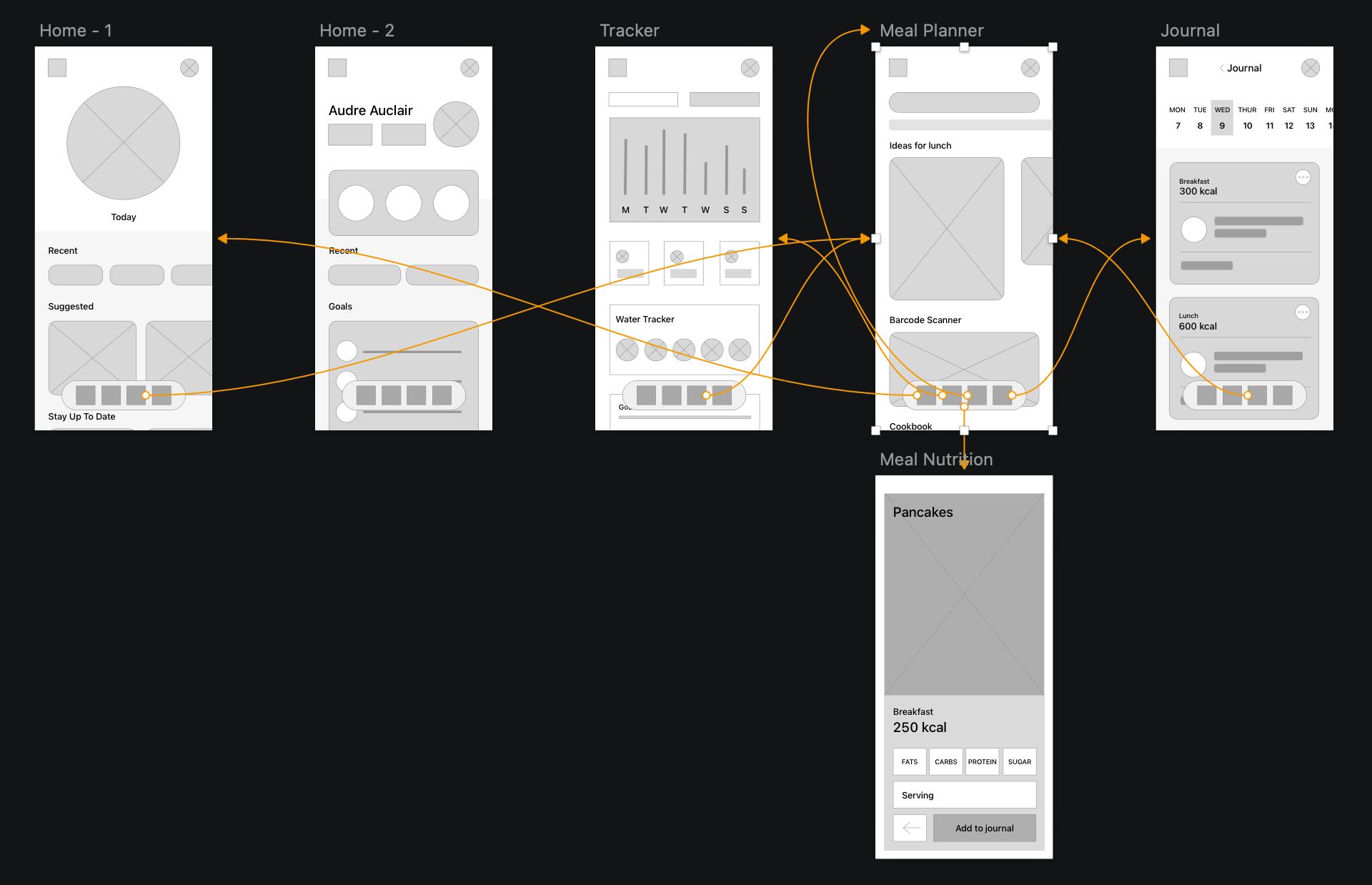
In order to refine and understand the structure of each vital page clearer than the paper wireframes before entering the final phase of design I created the lo-fi wireframes for Hummingbird. I was able to work out some issues regarding the location of certain features of the app and how they would be presented. It was important for me to not only follow the notes from my paper wireframes but also ideate further to create the best possible product for the user
High Fidelity Wireframes
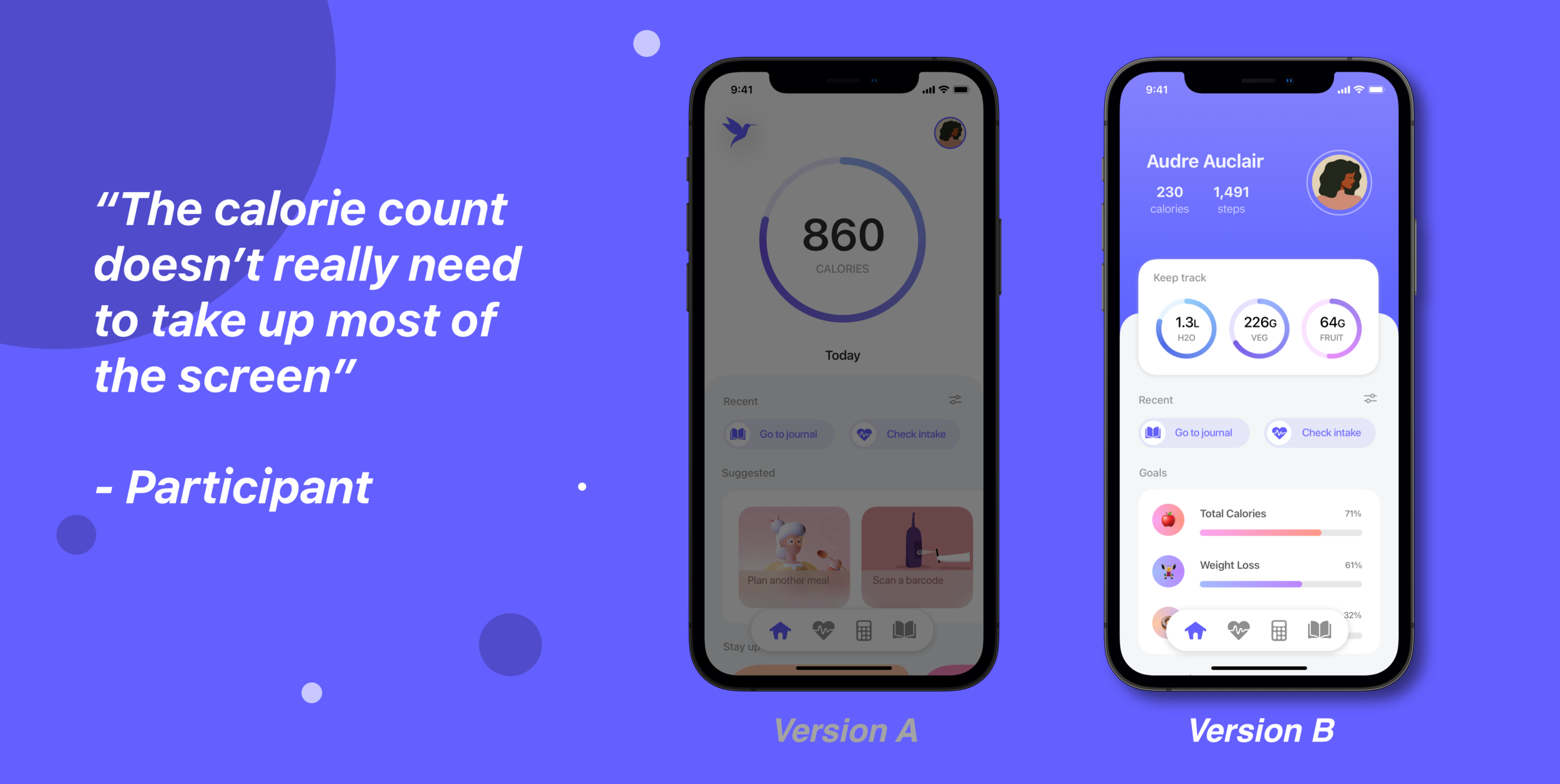
A challenge I faced when designing the high fidelity versions of my wireframes was deciding on a final design for the home page. This lead me to conduct a usability study on both low-fi versions of the home screen to discover which version met my user goals best. The participants of the usabilty study were in favour of version B by virtue of its presentation of information.
Sticker Sheet
Takeaway
I feel that Hummingbird is a concept that people could really benefit from especially in a world affected by the COVID-19 virus where we need to remain as healthy as possible. After researching similar health monitoring platforms, I have realised that there is a lot of potential in the market for a superior product to be created. The creation of Hummingbird, significantly assisted in improving not only my wireframing skills but narrowing down my design process to it’s most effective version to date. I also intend on incorporating some of the things I learned in this project in my future work.