

CASE STUDY 04
IBM Secure Access
As part of the Patterns Program — a six-week, full-time design initiative at IBM — I collaborated with a team of four designers located around the world to tackle a real-world design challenge for a new IBM product, delivering a solution within the program's timeframe.

Impact (the short story)
100%
of users indicated they would move to the redesigned app
34%
reduction in user navigation time to complete tasks
85%
potential reduction in admin workload by automating approval processes
The Problem
Several years ago 3 different offerings were created to support the two factor authentication service for IBMers including server registration, alias registration and device management. Later these 3 services were combined into one portal called ‘2FAAas on w3ID on SSO’ aimed at enhancing security via two factor authentication. This portal is facing resource constraints, security concerns, usability issues and an outdated design.
Our Solution
IBM Secure Access, a unified platform that provides IBMers and administrators with a streamlined experience to manage servers, aliases, and devices, all within a single portal built on the IBM Carbon Design System.
Our Process
We followed IBM's Design Thinking methodology, starting with introductory activities to align the team. We conducted stakeholder interviews, analysed the data to identify need statements, and crafted hills and to-be scenarios. The final design was developed through an iterative process, incorporating feedback from user reviews at every stage.
Getting in Sync
To align the team on our understanding we created a list of our assumptions and questions for the project. We then evaluated these to assess our confidence in each idea and prioritize their importance in guiding our next steps.
Validation of assumptions
We spoke to the lead engineer of the 2FA offering to discuss our assumptions and questions in detail.
They explained key functionalities of the portal
Provided an overview of the admin role, how servers are created, and discussed alias creation for users
Clarified doubts about these processes and explored user pain points, including error handling and interface navigation issues
Touched on future improvements, such as portal consolidation and more user-friendly features
Research Plan
To help guide us through the research phase we created a research plan. Our objectives with our research consisted of the following:
Understand the Goals, current workflow and journey in day to day of a 2FA user
Understand the use cases for the different services within the 2FA portal and how the services are connected
Understand the pain points that 2FA users are facing when using the end-to-end experience of the 2FA portal
Understand what additional features they would find helpful

Exploring user thought processes
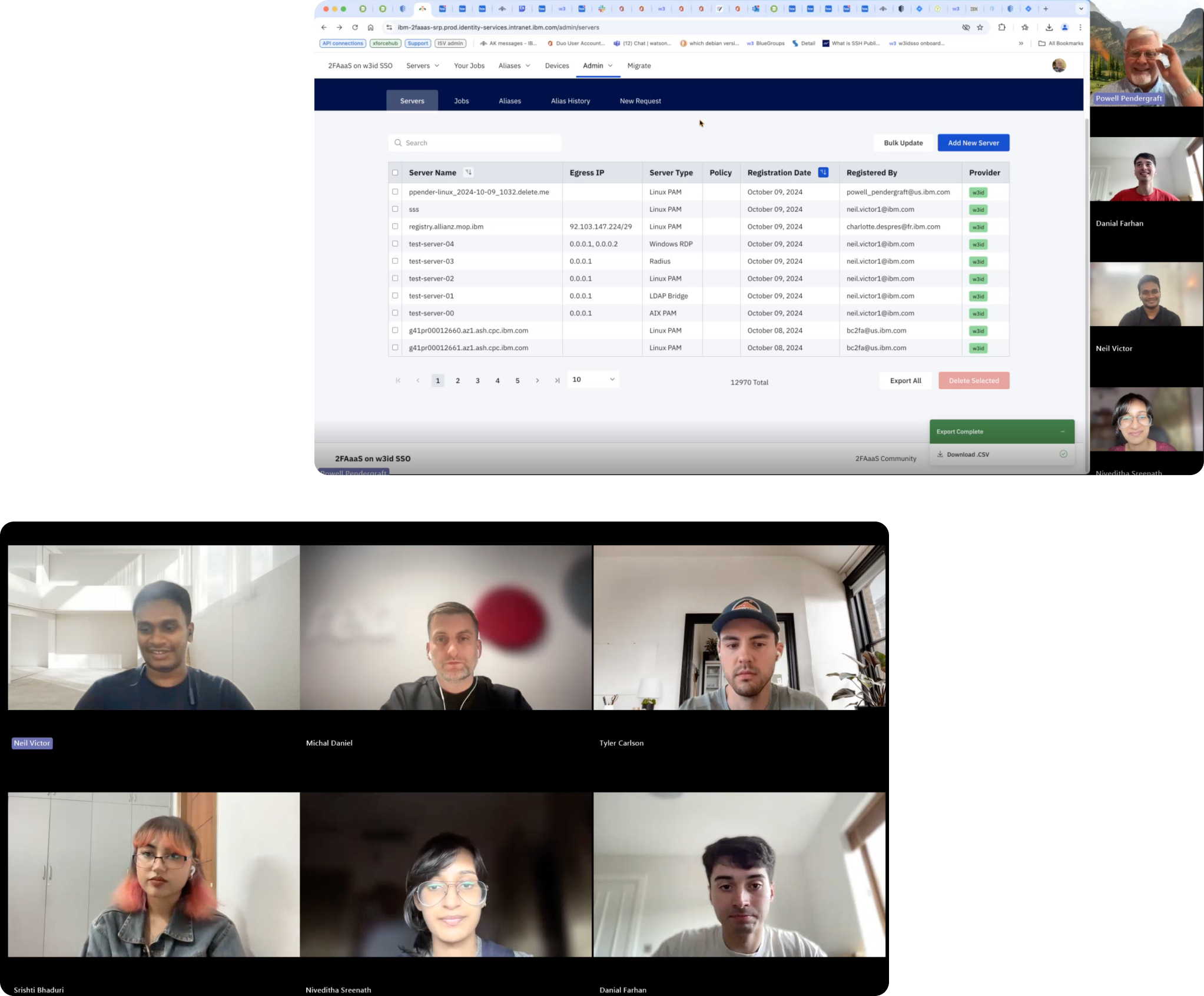
Once we aligned on our assumptions and questions for the project and completed our interview preparations, we began interviewing our sponsor users. To gain a broad understanding of the pain points our users face, we conducted interviews with the following sponsor users: a Lab Manager, a Developer, and two 2FA Business Analysts.
Initial Insights

Data Synthesis
To make sense of the information gathered during interviews, I used affinity mapping to group related insights and uncover emerging patterns.
Through our user interviews, it became clear that we were designing for two distinct personas. This presented the ideal opportunity for me to develop empathy maps for each persona, enabling me to explore their thoughts, motivations, and experiences more deeply and better understand their perspectives.
Affinity Map
Empathy Map - End User
Empathy Map - Admin
Prioritising Pain Points
All user challenges that I identified during data synthesis were prioritized on a scale of primary importance - secondary importance - tertiary importance. The pain points in primary importance were the ones that I would focus most on during our 6 week roadmap

Visualising what I learned
Using the information gathered about our users, including their experiences, needs, and challenges, we created personas to represent and visualise their perspectives and behaviors.
End User
Admin
Building Out The Current Experience
To document the current journey the user will take, we designed three different as-is scenario maps to describe the three main operations in the 2FA portal as they stand: Server registration, Admin functionality, and Alias registration. Our objective here was to highlight goals, positive and negative experiences and the users behavior.
Key Pain Points
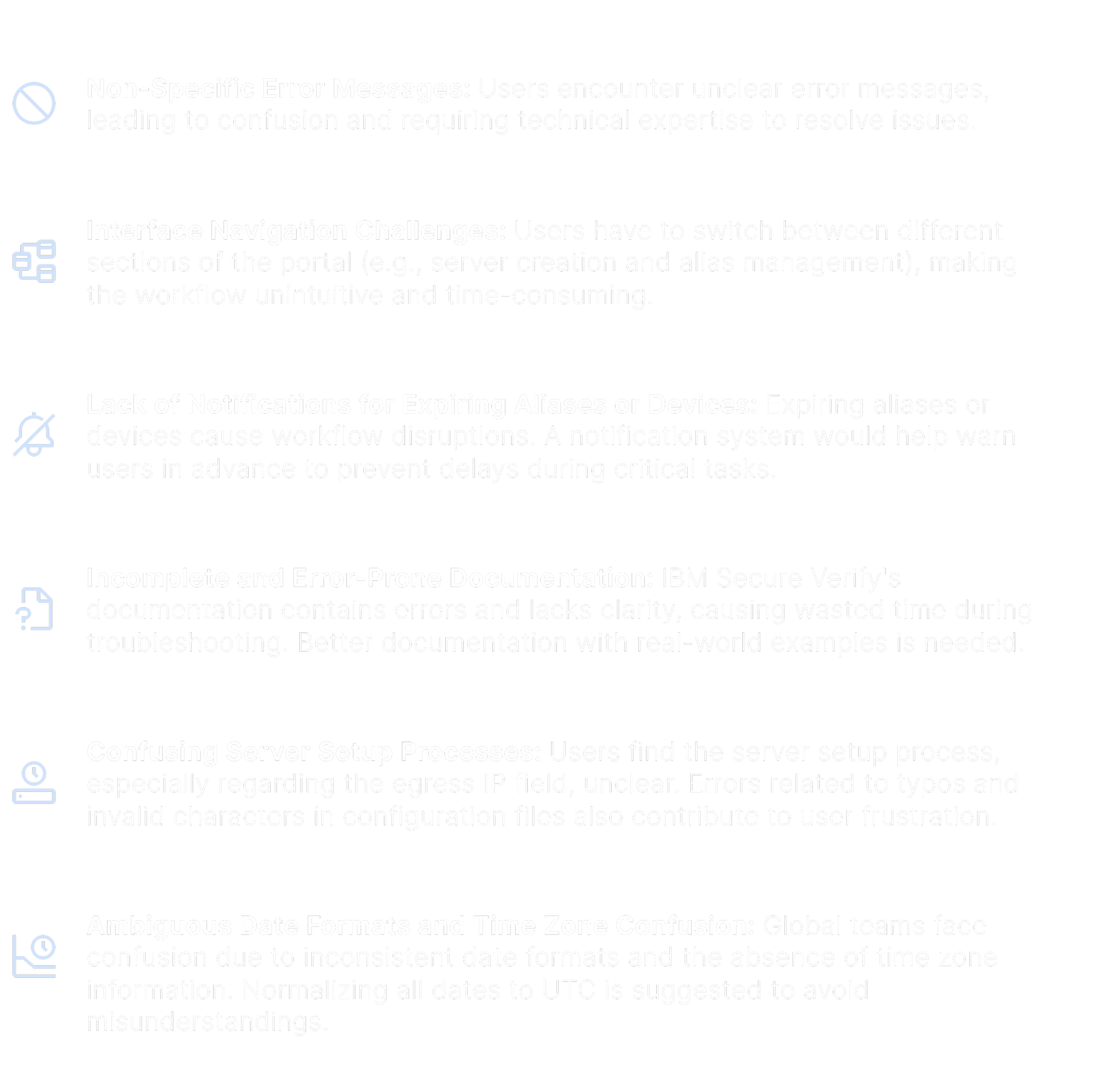
Delayed Error Feedback: During server registration, users only find out if the server name already exists after submitting, which leads to inefficiencies..
Unclear Credential Rotation Information: Users lack context about when the next credential rotation is due, leading to potential security risks.
Lack of Real-time Feedback: Users are not informed that the platform is validating the data until the scan is complete, leaving them uncertain about the status of their upload and why is it taking a lot of time.
Inefficient Error Handling: For multiple errors during CSV uploads, only one error is identified at a time, forcing users to repeatedly edit and upload the file.
Disconnected User Flow: Users are redirected to a jobs page to view progress without any context on how it relates to the servers page where they can view server details.
Key Pain Points
Manual Effort is Time-Consuming: The current alias approval process requires significant manual work, especially for common or repetitive requests, leading to inefficiencies in managing large volumes of requests.
Confusion Around Alias Creation: Users struggle with understanding the process, particularly the need to input server names when aliases are tied to users, causing delays and frequent support requests.
Duplicate Alias Management Issues: There is a recurring problem with duplicate or outdated aliases, often due to users leaving or returning, requiring admins to spend time manually cleaning up and resolving conflicts.
Notification System is Crucial: Users often aren’t aware when aliases are about to expire or need updates. A proactive notification system would prevent downtime during urgent tasks and keep alias records up-to-date.
Why Does The Portal Have Poor Usability?
To understand where the issues lied in the current product I lead a heuristic evaluation of each user journey.
Usability Heuristics
Visibility of System Status
Match Between the System and the Real World
User Control and Freedom
Consistency and Standards
Error Prevention
Recognition Rather than Recall
Flexibility and Efficiency of Use
Aesthetic and Minimalist Design
Help Users Recognize, Diagnose, and Recover from Errors
Help and Documentation
The Results
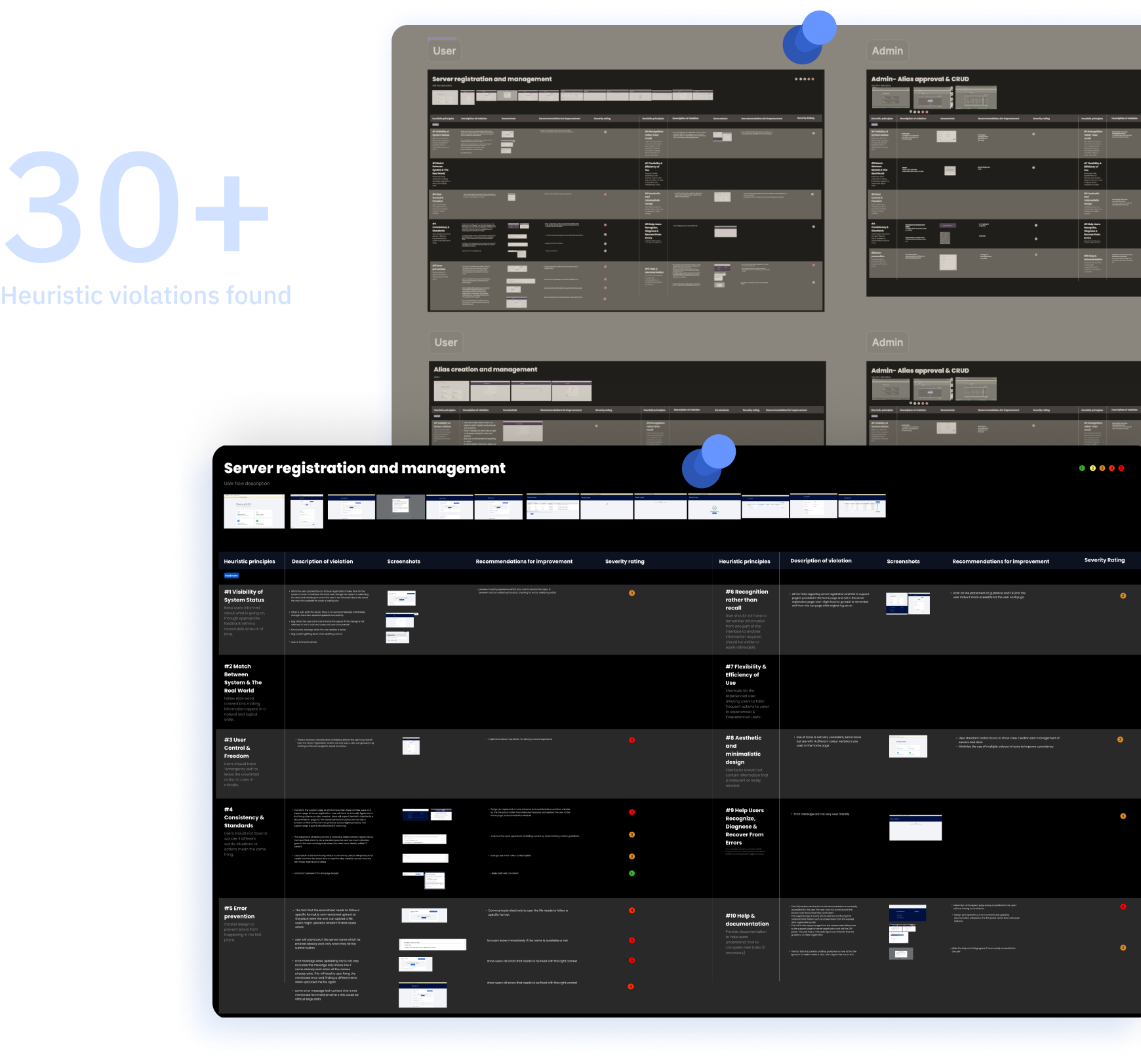
Where it Went Wrong
Need Statements
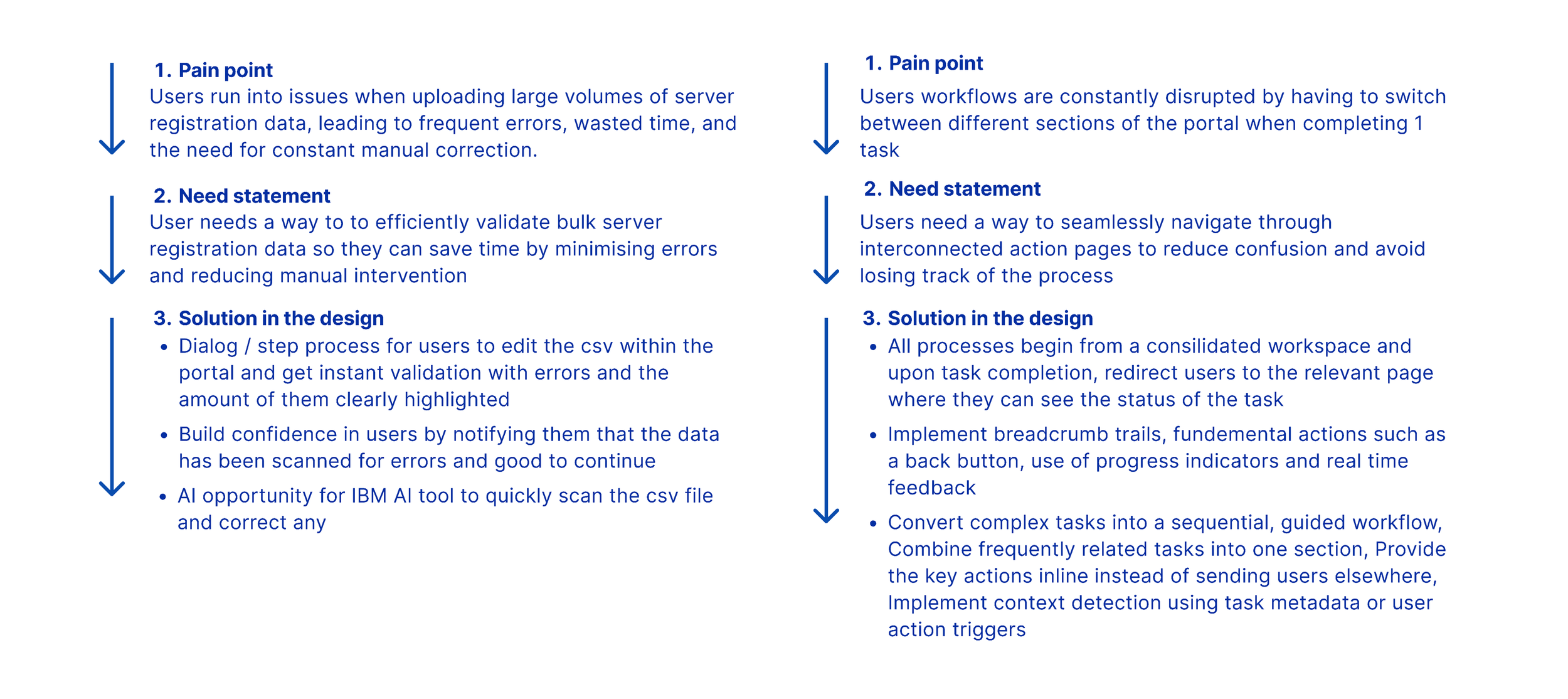
Now that we had the creative space to begin discovering ideas for our users we asked ourselves the question, “What does the user need?”. Through the hills activity, I created clear and concise statements outlining how our project will deliver value to users.
Our Hills
Converting pain points into practical design opportunities and defining how to address them
Organising The Solution
With the "big ideas" for our project defined, we moved on to envisioning how the solution would take shape in the final design. I started by designing the IA by grouping similar information and conducting card sorting to prioritise navigation. Additionally, I created low-fidelity wireframes to develop an early prototype, which we shared with stakeholders to gather feedback on our design.
Low-Fidelity Wireframes
Translating Needs into Design
I sketched early concepts for the redesigned 2FA portal, focusing on its look and feel. Each team member worked independently on designs, and then we collaborated to identify the strongest elements from each. I lead the conversion of our design ideas into a prototype to present to stakeholders.
User Testing Insights
Through user testing interviews with our stakeholders, we validated our early wireframe concepts and got constructive critique and suggestions on some of the functionalities.
40+
High Fidelity Screens
User
Home screen and navigation
Single server registration
Bulk server registration
Your Servers
Bulk Jobs
Alias Creation
Your Aliases
Walkme and Assist Me
Admin
Home screen and navigation
Manage All Servers
Manage All Aliases
Alias Requests
RegEx Rules
Metrics
Walkme and Assist Me
Solution Highlights
User Home Page & Navigation
Quick action tiles
Easy access to the right documentation
Simplified navigation panel
Quick insights about servers owned
Quick insights about aliases
Chat assistant for FAQs and guidance
Bulk Server Registration
Intuitive step by step wizard: upload file, validate and summary
Realtime feedback during CSV scan for errors
View all remaining errors in table view
Find out invalid w3IDs and bulk apply edits across rows
View and download validated csv
Notifications for new Job
Save credentials in bulk to one password
Automated Alias Approvals
Simplified view of Alias requests and Regex rules
Add regex rule using natural language with watsonx assistant
Insights regarding Alias requests
Notifications
Notifications regarding credential rotation in portal as well as through mail
Credential expiry activity
Admin notifications for pending alias requests
Admin notifications for server registrations
Admin Home Page & Navigation
Admin overview tiles (all servers & aliases)
Admin metrics
Simplified & cohesive navigation panel
Quick insights about servers owned
Quick insights about aliases
Easy access to the right documentation
Chat assistant for FAQs and guidance
Guidance & Documentation
Walkme experience for first time users
Easy access to the right documentation at the right page
Chat assistant for FAQs and help
Assist me to find documentation
Slide in Panel to help find Egress IP
Admin Monitoring
Simplified view of the metrics using carbon
Add filtering to individual tables
Insights numerical metrics shown as cards for easy access insights!
What’s Next?
Every user of the 2FAaas portal can troubleshoot errors with minimal admin intervention. There is interactive and detailed documentation present for every action that the service offers. Migration from DUO to ISV is expedited and all users are well informed about the changes in procedure. Users are promptly notified on Slack, mail and other mediums for system notifications based on priority. Exploring new Carbon components for things such as editable table entries. AI integration automates most of the admin workflow, resulting in lesser monitoring needs and scheduled activity reports.